

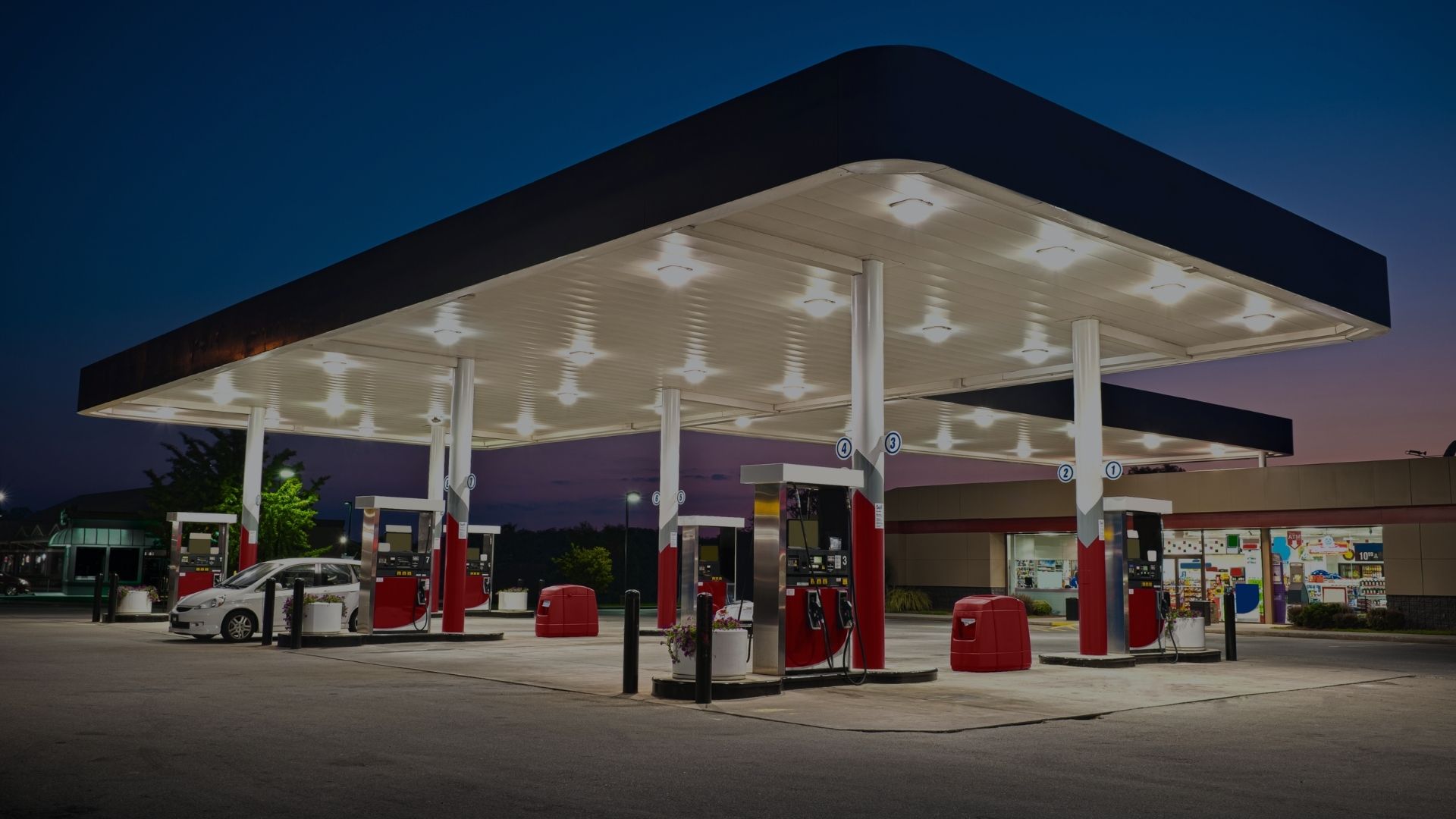
Complete Guide to Fuel Station POS System Installation
Understanding Modern Fuel Station POS Systems
Today's fuel station POS systems are comprehensive business management platforms far beyond simple transaction processing. Understanding modern capabilities helps you appreciate the value of professional installation.
What Modern POS Systems Do
Transaction Processing:
The core function, but far more sophisticated than old systems:
- Lightningfast transaction processing (23 seconds typical)
- Integrated EMV chip card processing
- Contactless payment acceptance (taptopay)
- Mobile payment integration (Apple Pay, Google Pay)
- Split tender transactions (multiple payment methods)
- Electronic receipt delivery via email or text
- Comprehensive transaction auditing and reporting
Fuel Management:
Specialized capabilities for fuel retail:
- Realtime fuel dispenser control and monitoring
- Automated price changes across all dispensers simultaneously
- Gradespecific pricing and promotional pricing
- Prepay and postpay authorization management
- Prepaid card and gift card processing
- Fleet card integration and data capture
- Driveoff tracking and prevention
- Fuel delivery management and reconciliation
Inventory Management:
Realtime tracking of all products:
- Automatic inventory deduction at point of sale
- Low stock alerts and reorder notifications
- Automated purchase order generation
- Receiving and vendor management
- Physical inventory counting tools
- Shrinkage tracking and analysis
- Agerestricted product controls
- Supplier performance tracking
Customer Relationship Management:
Build loyalty and increase sales:
- Integrated loyalty program management
- Customer purchase history tracking
- Targeted promotions and offers
- Birthday and anniversary recognition
- Email and SMS marketing integration
- Tiered loyalty levels and rewards
- Points accumulation and redemption
- Customer analytics and segmentation
Employee Management:
Control labor and track performance:
- Time clock integration
- Shift scheduling and management
- Sales performance tracking by employee
- Cash drawer management and accountability
- Discount and void authorization controls
- Training mode for new employees
- Labor cost analysis and optimization
Business Intelligence:
Comprehensive reporting and analytics:
- Realtime sales and inventory dashboards
- Customizable reports for any data point
- Scheduled report generation and delivery
- Multistore consolidated reporting
- Margin analysis and profitability tracking
- Category management and optimization
- Sales trending and forecasting
- Competitive benchmarking data
Back Office Management:
Complete business operations:
- Accounting system integration
- Automated financial reporting
- Vendor and bill payment management
- Bank reconciliation tools
- Tax reporting and filing support
- Document management and storage
- Multilocation management
- Remote monitoring and control
Gilbarco Passport POS: Industry Leader
As authorized Gilbarco dealer, Empire Petroleum Services installs Passport POS, purposebuilt for fuel retail:
Core Passport Advantages:
- Designed specifically for fuel retail (not adapted from other industries)
- Seamless integration with Gilbarco dispensers and equipment
- Proven reliability in demanding 24/7 operation
- Intuitive interface reduces training time
- Comprehensive fuelspecific functionality
- Cloud connectivity for remote management
- Scalable from single location to large chains
- Continuous development and feature additions
Passport Hardware:
- Modern touchscreen terminals (15" or larger)
- Fast processors for quick response
- Solidstate storage for reliability
- Integrated barcode scanners
- EMVcompliant payment terminals
- Cash drawer with electronic controls
- Receipt printer with logo capability
- Backup battery for power failure protection
Passport Software:
- Windowsbased for familiarity
- Intuitive icondriven interface
- Customizable button layouts
- Comprehensive back office suite
- Mobile app for remote management
- Automatic software updates
- Builtin diagnostics and troubleshooting
- Extensive reporting capabilities
Passport Integration:
Gilbarco fuel dispensers (native integration)
- VeederRoot tank monitoring systems
- Major payment processors
- Accounting software (QuickBooks, etc.)
- Lottery terminals and systems
- Car wash controllers
- Time clock systems
- Security camera systems
Legacy POS vs Modern POS Comparison
Understanding the difference justifies the investment:
Legacy Systems (10+ years old):
- Slow transaction processing (5-10+ seconds)
- Limited payment options (swipe only)
- Basic inventory tracking
- Limited or no loyalty capability
- Minimal reporting
- Manual price changes
- No remote access or management
- Limited or no support available
- Proprietary components difficult to service
Modern Systems (Current):
- Fast transaction processing (2-3 seconds)
- All payment types including contactless
- Comprehensive realtime inventory
- Integrated loyalty programs
- Extensive reporting and analytics
- Automated price management
- Cloudbased remote access
- Ongoing support and updates
- Standard components easily serviced
Operational Impact:
- 40-60% faster checkout times
- 30-50% reduction in transaction errors
- 20-30% labor cost reduction through automation
- 10-20% increase in sales through better management
- Significant reduction in inventory shrinkage
- Improved customer satisfaction scores
- Better business decision making from analytics
Signs It's Time to Replace Your POS
Deciding when to replace POS requires evaluating functionality, reliability, cost, and strategic considerations.
Technology Obsolescence
Operating System Support Ended:
- Windows XP, Vista, 7 no longer supported
- Security vulnerabilities unpatched
- Payment processors refusing to certify
- PCI compliance impossible to maintain
- Regulatory compliance at risk
If your POS runs on unsupported operating systems, replacement is mandatory for security and compliance.
Hardware End of Life:
- Manufacturer discontinued product line
- Parts no longer available
- Service technicians unfamiliar with system
- Repair costs approaching replacement cost
- No upgrade path available
Payment Processing Obsolescence:
- No EMV chip card capability
- Missing contactless payment support
- Inadequate encryption for current standards
- Payment processor refusing certification
- PCI compliance requirements not met
Reliability and Performance Issues
Frequent System Failures:
- Regular crashes or freezes
- Data corruption requiring restoration
- Hardware failures and replacements
- Downtime impacting sales
- Customer complaints about equipment problems
Slow Performance:
- Transaction processing takes excessive time
- System lag frustrates cashiers and customers
- Reports take minutes to generate
- Price changes take hours to implement
- Database queries time out or fail
Integration Problems:
- Can't communicate with modern dispensers
- Payment terminal integration unreliable
- Inventory tracking inaccurate
- Tank monitoring integration failing
- Back office functions limited or broken
Business Limitation Issues
Can't Support Business Growth:
- Limited capacity for products or categories
- Can't add locations or terminals
- Reporting inadequate for decisionmaking
- No loyalty program capability
- Limited or no promotional capabilities
Missing Critical Functionality:
- No realtime inventory visibility
- Inadequate employee management
- Limited financial reporting
- No customer analytics
- Missing age verification tools
- Can't integrate with accounting
Competitive Disadvantage:
- Competitors offer better customer experience
- Can't match competitor loyalty programs
- Slower service drives customers away
- Limited payment options lose sales
- Lack of business intelligence hurts competitiveness
Financial Considerations
Cost of Continuing:
Calculate total cost of keeping old system:
- Annual maintenance and support contracts
- Frequent repair costs
- Lost sales from downtime
- Labor inefficiency from slow system
- Lost opportunities from limited functionality
- Risk of compliance violations and fines
Replacement ROI:
Modern POS typically pays for itself through:
- Labor savings from automation and efficiency
- Increased sales from loyalty and faster service
- Reduced shrinkage from better inventory management
- Better purchasing decisions from analytics
- Avoided compliance violations and fines
When Financial Case Exists:
If total cost of continuing exceeds 20-25% of replacement cost annually, replacement makes strong financial sense regardless of other factors.
Making the Replacement Decision
Replace Immediately If:
- Operating system support ended
- PCI compliance impossible
- Payment processors refusing certification
- Frequent failures disrupting operations
- Total cost of continuing exceeds 25% of replacement annually
Plan Replacement Within 12 Years If:
- System approaching 10+ years old
- Missing important functionality
- Vendor support limited or ending
- Technology clearly dated
- Competitive disadvantage evident
Can Continue For Now If:
- System less than 57 years old
- Reliable operation and performance
- Meets all current needs
- Vendor support strong
- Total cost of ownership reasonable
Choosing the Right POS System
Selecting appropriate POS requires matching system capabilities to your specific operational requirements and future plans
Key Selection Criteria
Fuel Industry Specialization:
General retail POS systems adapted for fuel retail create problems:
- Missing fuelspecific functionality
- Poor dispenser integration
- Inadequate petroleum compliance features
- Limited understanding by vendor support
- Awkward workarounds for common fuel operations
Choose fuelspecific POS like Gilbarco Passport designed for fuel retail from the ground up
Scalability:
Consider growth plans:
- Single location with growth plans Need multisite capability
- Single location staying single Can use simplified systems
- Multiple locations currently Must have centralized management
- Franchise or chain operations Need corporate reporting and control
Integration Requirements:
Identify critical integrations:
- Fuel dispensers (essential verify compatibility)
- Tank monitoring systems
- Payment processing
- Accounting software
- Lottery terminals
- Car wash controllers
- Time and attendance systems
- Security and surveillance
Verify POS integrates seamlessly with all critical systems
Payment Processing:
Essential payment capabilities:
- EMV chip card processing (mandatory)
- Contactless payment (increasingly expected)
- Mobile payment (Apple Pay, Google Pay)
- Fleet card processing if serving commercial
- Gift card and prepaid card processing
- Split tender capability
- Offline authorization handling
Reporting and Analytics:
Determine reporting needs:
- Basic daily sales and inventory reports
- Comprehensive financial analysis
- Employee performance tracking
- Category management and optimization
- Customer behavior analytics
- Multilocation consolidated reporting
- Scheduled automated report delivery
- Custom report creation capability
Vendor Considerations:
Evaluate POS vendor:
- Industry experience and reputation
- Longterm viability and stability
- Customer support quality and availability
- Training and implementation services
- Software update frequency and quality
- Local service and support availability
- User community size and activity
Gilbarco Passport Configurations
Passport offers configurations for different needs:
Passport Single Site:
Designed for singlelocation operators:
- Complete functionality for one location
- Back office tools for business management
- Integration with all Gilbarco equipment
- Comprehensive reporting
- Cloud connectivity for remote access
- Affordable pricing for independents
Passport Enterprise:
Built for multilocation operations:
- Centralized management and reporting
- Corporate pricing and promotion control
- Consolidated inventory management
- Enterpriselevel business intelligence
- Rolebased access and permissions
- Advanced analytics and benchmarking
Passport Cloud:
Latest cloudbased architecture:
- Reduced onpremise hardware requirements
- Automatic updates and backups
- Enhanced security and data protection
- Improved disaster recovery
- Simplified IT management
- Mobile access from anywhere
POS Hardware Decisions
Terminal Configuration:
- Number of registers needed
- Terminal locations and layouts
- Touchscreen size preferences (15", 17", 19")
- Backup terminals for redundancy
- Mobile terminals for linebusting
Peripheral Equipment:
- Receipt printer specifications
- Barcode scanner types
- Cash drawer size and configuration
- Kitchen printer if food service
- Customerfacing display
- Signature capture device
Payment Terminals:
- Integrated vs external payment terminals
- Terminal brands and models
- Contactless capability
- PIN pad for debit cards
- Number needed per register
Back Office Equipment:
- Dedicated back office computer
- Larger monitors for detailed work
- Label printers for pricing
- Document scanners
- Backup hardware considerations
PreInstallation Planning
Successful POS installation begins with comprehensive planning weeks before installation day
Current System Assessment
Document Current Configuration:
- Number and location of terminals
- Network infrastructure and connectivity
- Peripheral devices and connections
- Integration points with other systems
- Payment processing setup
- User accounts and permissions
Inventory Current Data:
- Number of products in system
- Number of active customers
- Historical transaction volume
- Employee roster and access levels
- Report templates in use
- Custom configurations or modifications
Evaluate What's Working:
- Features staff use regularly
- Reports generated frequently
- Processes that work well
- Integrations functioning properly
- Configurations to preserve
Identify Current Problems:
- Features that don't work or are clunky
- Reports not meeting needs
- Process inefficiencies
- Integration issues
- Staff frustrations and complaints
Network Infrastructure Assessment
Verify Network Adequacy:
Modern POS requires robust networking:
- Adequate bandwidth for all terminals
- Reliable connectivity to internet
- Quality switches and routers
- Proper cabling and connections
- Wireless coverage if needed
- Backup internet connection recommended
Address Infrastructure Gaps:
- Upgrade network equipment if needed
- Install additional network drops
- Improve wireless coverage
- Implement network monitoring
- Plan for redundancy and backup
Data Migration Planning
Identify Critical Data:
- Product master file with pricing
- Customer database with loyalty information
- Vendor information
- Employee records
- Historical sales data for reporting
Determine Migration Strategy:
- What data to migrate vs rebuild
- Data cleaning and validation requirements
- Migration timing and approach
- Validation and testing plan
- Rollback procedures if problems
Plan for Data Gaps:
- Missing or incomplete data
- Data quality issues
- Incompatible data structures
- Historical data limitations
Integration Planning
Map All Integration Points:
- Fuel dispensers (critical)
- Tank monitoring system
- Payment processor and terminals
- Accounting software
- Lottery terminal
- Car wash controller
- Other integrated systems
For Each Integration:
- Verify compatibility with new POS
- Identify configuration requirements
- Plan testing procedures
- Determine cutover approach
- Have vendor support arranged
Staff Preparation
Identify Training Needs:
- Cashiers and store attendants
- Managers and supervisors
- Back office and accounting staff
- Owner or executives
Plan Training Approach:
- Group training sessions
- Oneonone training for complex roles
- Trainthetrainer for large staffs
- Handson practice opportunities
- Reference materials and job aids
Manage Change:
- Communicate benefits of new system
- Address concerns and anxieties
- Set realistic expectations
- Recognize that learning curve exists
- Provide ongoing support after golive
Timeline and Schedule
Develop Detailed Schedule:
- Equipment ordering and delivery
- Site preparation and infrastructure work
- Installation and configuration
- Data migration and validation
- Integration and testing
- Training sessions
- Golive date and cutover
- Postimplementation support period
Identify Optimal GoLive Timing:
- Avoid peak seasons or holidays
- Allow adequate preparation time
- Coordinate with other projects
- Consider staff availability
- Plan for extended support during transition
Contact EPS for POS planning consultation
Data Migration Strategy
Data migration is often the most challenging aspect of POS implementation. Proper planning and execution prevents problems
Product Data Migration
Product Master File:
- Contains all product information:
- Product descriptions and categories
- UPC codes and SKUs
- Pricing (regular, sale, member)
- Tax categories and rates
- Inventory tracking settings
- Vendor information
- Reorder points and quantities
- Age verification requirements
Migration Approach:
- Export from old system in standard format
- Clean and validate data
- Map to new system structure
- Import and verify
- Test scanning and pricing accuracy
- Address any issues before golive
Common Challenges:
- Duplicate or conflicting UPC codes
- Missing or incorrect categories
- Pricing discrepancies
- Inactive products cluttering database
- Inconsistent naming conventions
Best Practice:
Clean data before migration rather than migrating problems to new system.
Customer and Loyalty Data
Customer Information:
- Name and contact information
- Loyalty card or account numbers
- Points or rewards balances
- Purchase history
- Preferences and restrictions
Migration Considerations:
- Verify customer data accuracy
- Update contact information if possible
- Consolidate duplicate accounts
- Determine historical data to preserve
Plan communication to customers about transition
Loyalty Program Continuity:
- Preserve points and rewards balances
- Maintain card numbers if possible
- Consider loyalty program enhancements with new system
- Communicate changes clearly to customers
Employee Data Migration
Employee Information:
- Names and contact information
- Employee ID numbers
- Job roles and permissions
- Payroll information if integrated
- Time clock data if applicable
Security and Access:
- Establish new user accounts in new system
- Set appropriate permission levels
- Train on new security procedures
- Implement password policies
- Plan for ongoing user management
Historical Data Decisions
Determine Historical Data Needs:
- Financial reporting requirements
- Tax and audit requirements
- Business analysis needs
- Regulatory compliance periods
Historical Data Options:
- Full historical migration (expensive, complex)
- Summary data only (practical for most)
- Keep old system available readonly (common approach)
- Archive old system data separately
Recommendation:
Most operations keep old system accessible for 12 years for historical reporting while new system builds current data.
Data Validation and Testing
Validation Procedures:
- Verify product count matches
- Sample test pricing accuracy
- Verify tax calculations
- Test inventory tracking
- Verify customer account information
- Test employee access and permissions
Test Transactions:
- Process sample transactions in test mode
- Verify pricing calculates correctly
- Test discounts and promotions
- Verify tax calculation accuracy
- Test payment processing
- Generate test reports
Correction Procedures:
- Document all data issues discovered
- Correct in source before remigration
- Remigrate corrected data
- Revalidate after corrections
- Repeat until data quality acceptable
Installation Process StepbyStep
Understanding the actual installation process helps set appropriate expectations and prepare accordingly.
Phase 1: Site Preparation (1-2 days before installation)
Physical Space Preparation:
- Clear installation areas
- Provide power outlets at all locations
- Verify network connectivity at each terminal
- Prepare back office workspace
- Ensure adequate lighting and ventilation
Network Infrastructure:
- Install network drops at terminal locations if needed
- Verify network equipment operational
- Test connectivity from all locations
- Configure network security and access
- Establish internet connectivity
Equipment Staging:
- Receive and inspect all equipment
- Verify quantities match order
- Check for shipping damage
- Organize components for installation
- Review installation plan with crew
Phase 2: Hardware Installation (1-2 days)
POS Terminal Installation:
- Position terminals at each register location
- Connect power and network cables
- Install peripheral devices (scanner, receipt printer, cash drawer)
- Mount equipment securely
- Organize cables neatly and safely
Payment Terminal Installation:
- Position payment terminals appropriately
- Connect to POS terminals
- Connect to payment processor network
- Configure communication parameters
- Test basic connectivity
Back Office Equipment:
- Install back office computer and monitor
- Connect printers and other peripherals
- Establish network connections
- Install backup power supply
- Configure workstation
Server Installation (if applicable):
- Install and configure POS server
- Establish database connections
- Configure networking and security
- Implement backup systems
- Test redundancy and failover
Phase 3: Software Installation and Configuration (2-3 days)
Operating System and Base Software:
- Install operating system on all terminals
- Apply security updates and patches
- Install POS application software
- Install peripheral device drivers
- Configure system settings
POS Application Configuration:
- Configure terminal settings and preferences
- Set up receipt formats and logos
- Configure tax rates and categories
- Establish user security and permissions
- Set up audit trails and logging
Payment Processing Configuration:
- Configure payment processor connection
- Set up merchant accounts and terminals
- Configure payment types accepted
- Set transaction limits and parameters
- Test payment processing in test mode
Store Configuration:
- Enter store information and branding
- Configure business hours and calendars
- Set up register assignments
- Configure drawer management
- Establish operational procedures
Phase 4: Data Migration and Import (1-2 days)
Product Database Import:
- Import product master file
- Verify all products imported correctly
- Correct any import errors
- Test sample product lookups and scanning
- Verify pricing accuracy
Customer Data Import:
- Import customer database
- Verify loyalty accounts and balances
- Test sample customer lookups
- Verify points calculations
- Correct any issues
Employee Setup:
- Create all employee accounts
- Assign appropriate permissions
- Configure security settings
- Test employee logins
- Train on security procedures
Phase 5: System Integration (2-3 days)
Fuel Dispenser Integration:
- Configure dispenser communication
- Map dispensers to POS stations
- Test price download to dispensers
- Verify transaction flow from pumps
- Test prepay and postpay scenarios
Tank Monitoring Integration:
- Configure communication with tank system
- Verify delivery detection
- Test inventory reconciliation
- Verify data accuracy
- Configure alerting
Payment Terminal Integration:
- Complete payment processor certification
- Test all payment types
- Verify EMV chip processing
- Test contactless payments
- Verify receipt printing
Additional Integrations:
- Lottery terminal if applicable
- Accounting software interface
- Time clock integration
- Car wash controller
- Security system integration
Phase 6: Testing and Validation (2-3 days)
Functional Testing:
- Process test transactions of all types
- Test all payment methods
- Verify inventory tracking
- Test loyalty program functionality
- Verify tax calculations
- Test discounts and promotions
- Generate sample reports
Integration Testing:
- Test complete fuel transactions
- Verify tank inventory updates
- Test payment processing endtoend
- Verify accounting integration
- Test all integrated systems
User Acceptance Testing:
- Have staff process sample transactions
- Verify procedures work as expected
- Gather feedback on interface and workflow
- Identify any issues or concerns
- Make adjustments based on feedback
Performance Testing:
- Test system response under load
- Verify network performance adequate
- Test backup and recovery procedures
- Verify system stability over extended operation
Phase 7: Training (3-5 days)
Cashier Training:
- Basic transaction processing
- Payment handling procedures
- Fuel authorization and management
- Loyalty program operations
- Common troubleshooting
- Emergency procedures
Manager Training:
- Advanced POS functions
- Reporting and analytics
- Employee management
- Inventory management
- Promotional pricing
- System administration basics
Back Office Training:
- Comprehensive back office functions
- Financial reporting
- Inventory management
- Vendor management
- System configuration
- Troubleshooting procedures
TraintheTrainer:
- Train key staff to train others
- Provide trainer materials and resources
- Establish ongoing training procedures
- Create reference materials
System Integration and Configuration
POS doesn't operate in isolation proper integration with all systems ensures reliable operation.
Fuel Dispenser Integration
Communication Setup:
- Configure communication protocol (typically Gilbarco Topaz or similar)
- Establish physical or network connection
- Verify communication established
- Map dispensers to POS station numbers
Price Management:
- Configure automatic price download to dispensers
- Test price changes propagate correctly
- Verify price displayed matches POS
- Set up scheduled price changes if used
Transaction Flow:
- Test prepay authorization and delivery
- Verify postpay authorization after pumping
- Test driveoff tracking and reporting
- Verify receipt printing and formatting
- Test all transaction scenarios
Troubleshooting Integration:
- Communication failures and recovery
- Price download issues
- Transaction authorization problems
- Receipt generation errors
Payment Processing Integration
Processor Certification:
- Complete certification process with payment processor
- Verify all payment types accepted
- Test EMV chip processing thoroughly
- Verify contactless payment works
- Test PIN debit processing
Payment Flows:
- Credit card preauthorization
- Completion and adjustment
- Void and refund processing
- Split tender transactions
- Offline transaction handling
Security and Compliance:
- Verify EMV processing correct
- Confirm PCI compliance measures
- Test security features
- Verify encryption working
- Review audit trails
Tank Monitoring Integration
Configuration:
- Establish communication with tank system
- Configure product mapping
- Set up delivery detection
- Configure reconciliation parameters
Data Exchange:
- Verify sales data flows to tank system
- Test inventory reconciliation
- Verify delivery recording
- Test variance reporting
Accounting Integration
Setup:
- Configure accounting software interface
- Map POS accounts to accounting
- Set up data export schedules
- Test data transfer
Data Flows:
- Sales data export
- Payment data export
- Tax data compilation
- Inventory valuation
- Vendor payment information
Additional System Integrations
Lottery Terminal:
- Configure communication
- Test transaction processing
- Verify settlement procedures
- Train staff on operations
Car Wash Controller:
- Configure wash code generation
- Test code validation at car wash
- Verify reporting integration
Time Clock:
- Integrate employee scheduling
- Configure time tracking
- Set up labor reporting
- Verify payroll data export
Staff Training and Change Management
Technology is only valuable if staff can use it effectively. Comprehensive training ensures successful adoption.
Training Program Design
Identify Training Needs by Role:
Cashiers and Store Attendants:
- Basic transaction processing (23 hours)
- Payment handling (1 hour)
- Fuel authorization procedures (1 hour)
- Loyalty program operations (1 hour)
- Common troubleshooting (30 minutes)
- Emergency procedures (30 minutes)
Shift Managers:
- All cashier content (5-6 hours)
- Manager functions and overrides (2 hours)
- Endofshift procedures (1 hour)
- Basic reporting (1 hour)
- Employee management (1 hour)
- Problem resolution (1 hour)
Store Managers:
- All shift manager content (10-11 hours)
- Advanced reporting and analytics (2-3 hours)
- Inventory management (2 hours)
- Promotional pricing and management (1-2 hours)
- Employee management (1 hour)
- System configuration (1-2 hours)
Owners and Executives:
- Executivelevel reporting (2 hours)
- Business intelligence tools (1-2 hours)
- Multistore management if applicable (1-2 hours)
- Financial analysis (1 hour)
- Remote access and mobile tools (1 hour)
Training Methods
Classroom Training:
- Group instruction for common roles
- Handson practice with training system
- Scenariobased exercises
- Q&A and discussion
OneonOne Training:
- Individualized for specific roles
- Address specific needs and concerns
- Allow questions without group pressure
- Flexible scheduling
Job Shadowing:
- New staff observe experienced staff
- See procedures in real operation
- Ask questions in context
- Build confidence before independent work
Reference Materials:
- Quick reference cards
- Detailed procedure manuals
- Video tutorials for complex procedures
- Searchable online help
Training Schedule
PreGoLive Training:
- Begin training 12 weeks before golive
- Multiple sessions to accommodate schedules
- Handson practice with training system
- Build confidence before using in production
GoLive Support:
- Trainer onsite during golive
- Immediate help for any questions
- Realtime problem resolution
- Confidence building for staff
PostGoLive Training:
- Refresher sessions 1-2 weeks after golive
- Address issues discovered during use
- Advanced training on underutilized features
- Ongoing quarterly training sessions
Change Management
Address Resistance:
- Acknowledge that change is difficult
- Explain benefits of new system
- Address concerns honestly
- Involve staff in process where possible
- Celebrate quick wins and successes
Set Realistic Expectations:
- Learning curve is normal and expected
- First week will be slower than normal
- Questions and mistakes are okay
- System will feel natural after 2-3 weeks
- Ongoing support available
Support During Transition:
- Extra staff scheduled during golive period
- Management presence and support
- Patience with learning process
- Recognition of effort and progress
- Quick response to problems
GoLive and Cutover Strategy
The actual transition from old to new POS requires careful planning and execution to minimize disruption.
Cutover Approach Options
Big Bang Cutover:
- Switch completely at one time:
- Advantages: Clean break, no parallel operation complexity, immediate benefits
- Disadvantages: Higher risk, no fallback, maximum disruption if problems
- Best for: Single location, strong confidence in preparation, good fallback plan
Phased Cutover:
Transition gradually:
- Advantages: Lower risk, can learn from each phase, fallback easier
- Disadvantages: Extended transition, parallel operation complexity, delayed benefits
- Best for: Multiple locations, complex operations, riskaverse operations
Parallel Operation:
Run both systems simultaneously:
- Advantages: Lowest risk, can verify new system, instant fallback
- Disadvantages: Double work, high complexity, expensive, extended timeline
- Best for: Missioncritical operations, complex integrations, high risk situations
Recommended Approach
For most fuel stations, modified big bang works best:
- Complete preparation and testing
- Golive during lowesttraffic period
- Old system available but not used
- Extended support during first week
- Fallback plan if serious problems
GoLive Timeline
Day Before GoLive:
- Final testing and verification
- Complete data synchronization
- Brief all staff on procedures
- Confirm support arrangements
- Verify fallback plan ready
GoLive Day:
- Arrive early before store opening
- Final system checks and verification
- Brief staff on support available
- Open with new system
- Monitor closely throughout day
- Extended support staff onsite
- Document any issues
- Endofday reconciliation carefully
Days 2-7:
- Continued close monitoring
- Onsite support available
- Document and resolve issues
- Daily debriefs with staff
- Gather feedback and concerns
- Make adjustments as needed
Week 2-4:
- Support transitions to remote
- Staff gaining confidence
- System becoming familiar
- Address remaining issues
- Plan advanced training
Fallback Plan
Prepare for problems requiring fallback:
Triggers for Fallback:
- Critical system failures
- Payment processing down
- Cannot process transactions
- Major data corruption
- Loss of critical integration
Fallback Procedures:
- Keep old system ready for 1-2 weeks
- Clear procedures to switch back
- Data synchronization plan
- Communication plan for staff and customers
- Plan to resume new system after fixes
Avoid Fallback By:
- Thorough testing before golive
- Proper preparation and training
- Adequate support during transition
- Quick response to any issues
- Good communication
Common Installation Challenges
Even wellplanned installations encounter challenges. Understanding common issues helps you prepare and respond.
Data Migration Issues
Incomplete or Inaccurate Data:
- Old system data quality poor
- Missing or incomplete information
- Pricing inconsistencies
- Inactive products cluttering system
Solution: Clean data before migration. Take time to improve data quality rather than migrating problems.
Customer Account Problems:
- Duplicate customer accounts
- Incorrect contact information
- Point balance discrepancies
- Loyalty program confusion
Solution: Consolidate and clean customer database. Communicate clearly with customers about any changes.
Integration Challenges
Dispenser Communication Problems:
- Protocol compatibility issues
- Network connectivity problems
- Configuration errors
- Firmware compatibility
Solution: Use experienced integrators familiar with specific equipment. Test thoroughly before golive.
Payment Processing Issues:
- Processor certification delays
- Terminal configuration problems
- Communication failures
- Transaction processing errors
Solution: Start processor setup early. Work with payment processor throughout testing. Have processor support available at golive.
Tank Monitoring Integration:
- Communication protocol mismatches
- Data mapping errors
- Reconciliation problems
- Timing issues
Solution: Involve tank monitoring vendor early. Test integration thoroughly. Verify inventory tracking accuracy.
Hardware and Technical Problems
Network Issues:
- Inadequate bandwidth
- Network equipment failures
- Connectivity drops
- Wireless coverage gaps
Solution: Upgrade network infrastructure before installation. Provide backup connectivity options.
Hardware Failures:
- Defective equipment on arrival
- Components not working properly
- Peripheral device problems
- Environmental issues (heat, dust)
Solution: Inspect all equipment on arrival. Have spare components available. Address environmental concerns proactively.
Staff Adoption Challenges
Resistance to Change:
- Prefer familiar old system
- Anxiety about learning new system
- Fear of looking incompetent
- Concern about speed initially
Solution: Manage change proactively. Communicate benefits. Provide excellent training and support. Celebrate progress.
Training Gaps:
- Insufficient training time
- Information overload
- Complex procedures
- Infrequent edge cases
Solution: Structured training program. Handson practice. Good reference materials. Ongoing support and refresher training.
Performance Pressure:
- Slower initially during learning
- Customer frustration with delays
- Staff stress and frustration
- Management impatience
Solution: Schedule extra staff during transition. Set realistic expectations. Be patient. Recognize improvement.
GoLive Problems
Unexpected Issues:
- Problems not discovered in testing
- Edge cases not considered
- Realworld scenarios different than expected
- Volume and pressure reveal problems
Solution: Extensive testing before golive. Support available immediately. Quick response to issues. Willingness to adjust.
Business Disruption:
- Slower transactions initially
- Customer complaints
- Revenue impact from delays
- Staff stress and frustration
Solution: Choose lowtraffic time for golive. Extra support during transition. Clear customer communication. Patience and persistence.
Timeline and Cost Considerations
Understanding realistic timelines and costs helps with planning and budgeting.
Typical Project Timeline
Planning Phase (2-4 weeks):
- Initial consultation and needs assessment: 1 week
- System selection and proposal: 1 week
- Contract negotiation and approval: 1-2 weeks
PreInstallation Phase (6-10 weeks):
- Equipment ordering and delivery: 4-6 weeks
- Site preparation and infrastructure: 2-3 weeks
- Data preparation and cleaning: 2-4 weeks (ongoing)
Installation Phase (1-2 weeks):
- Hardware installation: 2-3 days
- Software installation and configuration: 2-3days
- Data migration: 1-2 days
- Integration and testing: 2-3 days
- Training: 3-5 days
GoLive and Support (2-4 weeks):
- Golive day: 1 day
- Intensive support period: 1 week
- Transition to normal support: 1-2 weeks
- Followup training: Ongoing
Total Timeline:
- Single location: 10-16 weeks from decision to golive
- Multiple locations: 12-20+ weeks
- Complex integrations: Add 2-4 weeks
Cost Factors and Ranges
POS system costs vary significantly based on scope and complexity:
Software Licensing:
- POS software license: $3,000-$8,000 per location
- Back office software: $1,000-$3,000
- Annual support and updates: $500-$2,000 per year
- Multilocation license: $10,000-$30,000+
Hardware Costs:
- POS terminal with peripherals: $3,000-$6,000 each
- Payment terminal: $500-$1,500 each
- Back office computer and equipment: $2,000-$4,000
- Network infrastructure upgrades: $1,000-$5,000
- Server if required: $3,000-$8,000
Professional Services:
- Installation and configuration: $3,000-$8,000
- Data migration: $1,000-$5,000 depending on complexity
- Integration services: $2,000-$6,000
- Training: $1,500-$4,000
- Project management: $2,000-$5,000
Payment Processing Setup:
- Terminal programming: $200-$500 per terminal
- Processor setup fees: $0-$500
- Merchant account setup: $0-$500
Ongoing Costs:
- Software support and updates: $500-$2,000 annually
- Payment processing fees: 23% of transactions
- Network and connectivity: $100-$300 monthly
- Maintenance and support: $100-$500 monthly
Total Project Costs:
- Single terminal system: $15,000-$30,000
- Two terminal system: $25,000-$45,000
- Complete station (34 terminals): $40,000-$75,000
- Large or complex operation: $75,000-$150,000+
Return on Investment
Modern POS delivers measurable ROI:
Labor Savings:
- Faster transaction processing: $5,000-$15,000 annually
- Automated price changes: $2,000-$5,000 annually
- Improved inventory management: $3,000-$10,000 annually
- Better employee management: $2,000-$8,000 annually
Increased Revenue:
- Loyalty program driving volume: $10,000-$50,000 annually
- Faster checkout increasing throughput: $5,000-$25,000 annually
- Better business decisions: $5,000-$20,000 annually
Reduced Losses:
- Better inventory control reducing shrinkage: $3,000-$15,000 annually
- Employee accountability: $2,000-$10,000 annually
- More accurate transactions: $1,000-$5,000 annually
Typical Payback:
- Labor and loss reductions alone: 3-5 years
- Including revenue benefits: 2-3years
- Highvolume operations: 1-2 years
Financing Options
POS financing makes projects affordable:
Benefits:
- Spread costs over 3-5 years
- Preserve capital for operations
- Match payments to useful life
- Tax advantages (consult advisor)
- Immediate operational benefits
Typical Terms:
- Down payment: 0-20%
- Interest rates: Vary by creditworthiness
- Terms: 36-60 months typical
- Monthly payments: $500-$2,000 for typical system
Get Professional POS Installation
Pointofsale installation requires specialized knowledge of fuel retail operations, complex system integration, data migration expertise, and comprehensive training capabilities. Improper installation leads to operational problems, transaction errors, and expensive corrective work.
Empire Petroleum Services installs Gilbarco Passport POS, the industryleading pointofsale system designed specifically for fuel retail. Our experienced team manages every aspect of installation from planning through training and golive support.
Why Choose EPS for POS Installation
Fuel Retail Expertise:
- Exclusive focus on fuel station operations
- Deep understanding of fuel retail workflows
- Experience with all aspects of station management
- Integration expertise with fuelspecific equipment
Gilbarco Authorized:
- Authorized Gilbarco dealer and installer
- Factorytrained on Passport POS
- Direct manufacturer support
- Latest product knowledge and updates
Complete Installation Services:
- Comprehensive planning and preparation
- Professional hardware installation
- Expert software configuration
- Data migration and validation
- Complete system integration
- Thorough testing and quality assurance
- Comprehensive staff training
- Golive support and followup
Proven Track Record:
- Dozens of successful POS installations
- Experience with all station sizes and types
- Satisfied customers providing references
- High success rate and customer satisfaction
Schedule Your Free POS Consultation
Ready to upgrade your POS system?
Contact Empire Petroleum Services:
Phone: 7163911717
Email: service@epsofny.com
Office: 6515 Transit Rd 24, Bowmansville, NY 14026
Business Hours: MondayFriday, 7:30 AM 4:30 PM EST
What You'll Receive
Free Consultation Includes:
- Assessment of current system and needs
- Demonstration of Passport POS capabilities
- Discussion of integration requirements
- Preliminary project timeline
- Detailed cost estimate
- Financing options
- Answers to all questions
- No obligation
